
Who is an Admin in Standup Alice?
Anyone in your workspace can create standups and manage their own. Admins can manage all standups and billing for your company. This guide shows how to add a new admin, remove an existing one, or hand over admin rights to someone else.
✅ Before you start
- Only an existing admin can change admins. If you open the Admin page and don't see the Add admin section or the delete icons, you aren't an admin yet. Ask one of the admins listed on that page to add you, or contact our support team.
- The new admin must have used Standup Alice at least once. They should either log in to the web console or send a message to Standup Alice in Slack or Teams. Until they do, they won't show up in the list of people you can choose from.
➕ Add a new admin
1Open the web console by going to app.standupalice.com and logging in.
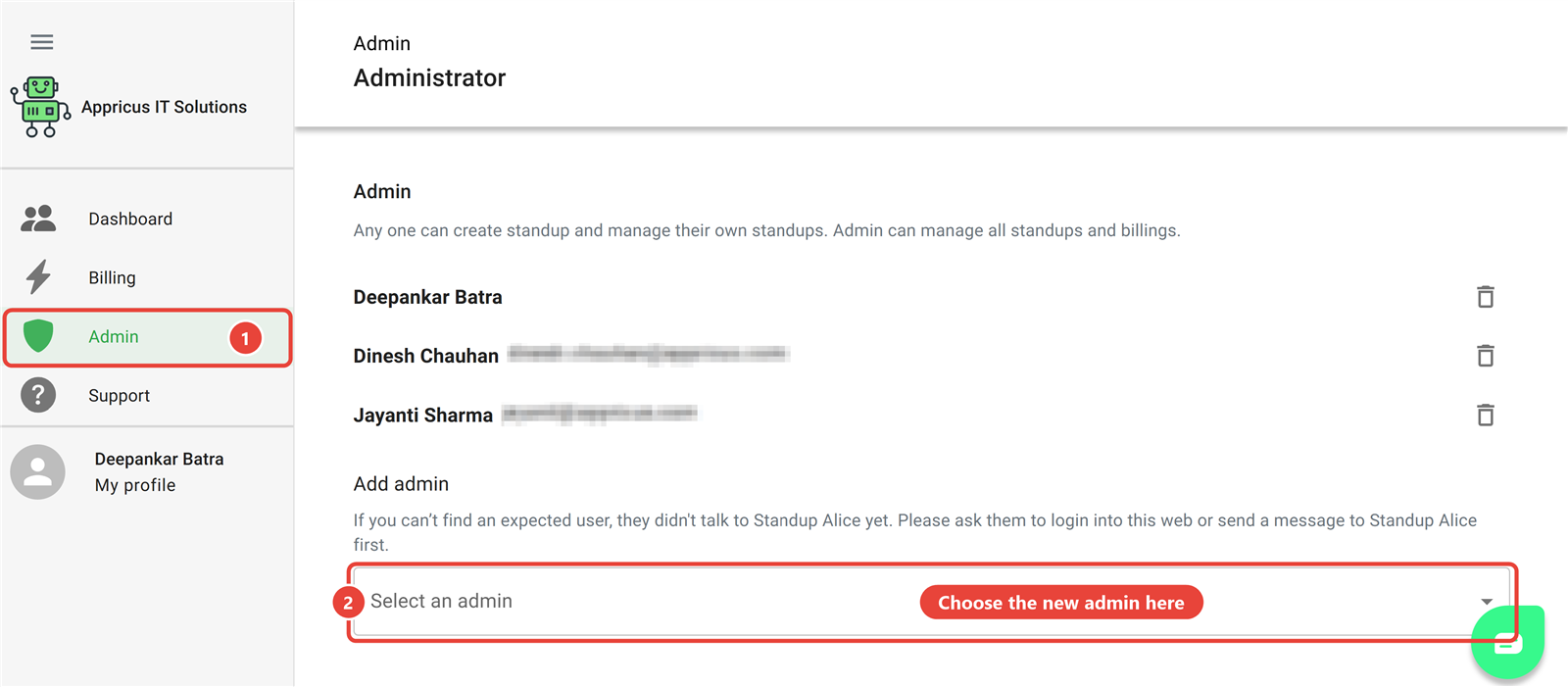
2In the left sidebar, click Admin (the green shield icon), marked 1 in the screenshot below.
3Scroll down to Add admin, open the Select an admin dropdown (marked 2), and choose the person you want to make an admin. You can pick more than one person.
4Click Save admin. A confirmation message appears and the new admin is added to the list.
➖ Remove an admin
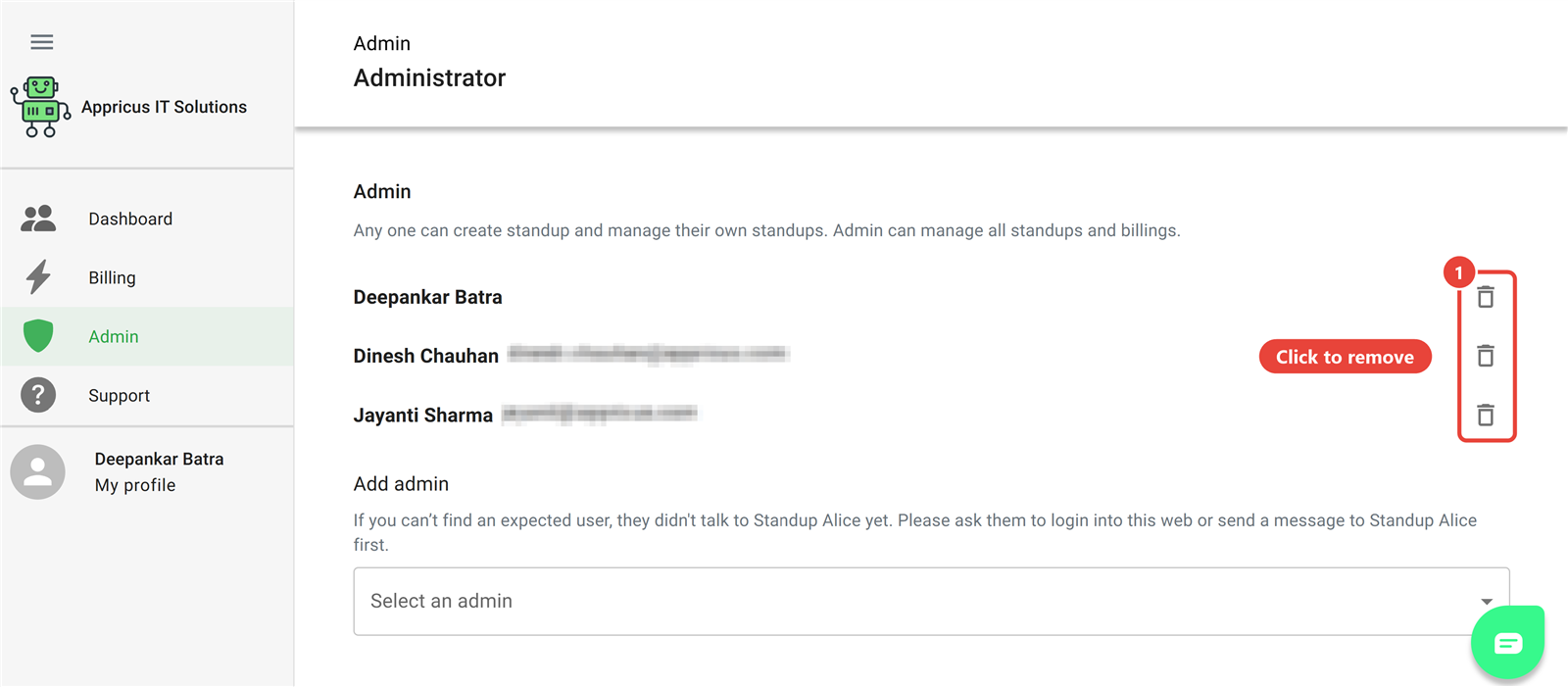
1On the Admin page, find the person in the admin list and click the delete (bin) icon next to their name.
2When asked "Are you sure … is not an admin anymore?", click Yes. You'll see "Admin has been removed".
⇄ Hand over admin to someone else
If the current admin is leaving the company or changing roles, do these two steps in this order:
- Add the new admin first, following the steps above.
- Then remove the old admin.
⚠️ Every team needs at least one admin. You can't remove the last remaining admin. If you try, you'll see "Please assign at least one admin to your team." Add the new admin first, then remove the old one.
❓ Troubleshooting
| Problem | What to do |
|---|---|
| I can see the admin list but there's no Add admin section or delete icon. | You aren't an admin. Ask anyone in the admin list to add you. |
| The person I want isn't in the Select an admin dropdown. | They haven't used Standup Alice yet. Ask them to log in at app.standupalice.com or send Standup Alice a message, then refresh the Admin page. |
| All of our admins have left the company. | Contact our support team using the chat button in the web console. We'll help you set up a new admin. |
☎ Still stuck? Click the chat bubble in the bottom-right corner of the web console and our team will help you out.